

The best approach to remote team project management is async-first: one project board as the single source of truth, explicit ownership on every task, and deadlines set against each person's local time zone rather than head office hours. Anchor that with two things: a board everyone checks instead of a chat thread everyone half reads, and a written handoff template that survives the gap between when one person finishes and another starts. The rest of this guide breaks that into steps and tool criteria you can apply this week.
TL;DR:
- Using a single project board as the main source of truth and setting deadlines in local time zones reduces confusion and prevents missed tasks.
- Assigning a clear owner to each task and documenting decisions directly within tasks improves accountability and traceability across time zones.
- Building structured handoff templates and reserving live meetings only for high-stakes decisions minimize asynchronous communication overload and delay.
- Selecting project management software that supports visible history, timezone-aware deadlines, and easy data export prevents trust issues and vendor lock-in.
- Regular automatic tracking of milestones, overdue items, blocked work, and team response times helps monitor progress and identify process issues early.
Table of Contents
- What is remote team project management, and when does it apply?
- What are the benefits of managing projects remotely?
- What challenges get in the way of remote project delivery?
- How do you run a remote project step by step?
- What should you look for in remote project management software?
- What metrics actually show whether a remote project is on track?
- How do you handle time zones without midnight deadlines?
- Why does this playbook hold up, and who's behind it?
- When should work be async, and when does it need to be live?
- Try Seven for privacy-first remote project management
- Further reading and primary sources
- Sources
- FAQ
What is remote team project management, and when does it apply?
Remote team project management is the discipline of planning, tracking, and delivering work when the people doing it aren't in the same room, and often aren't awake at the same time. It borrows the core mechanics of any project management approach, milestones, dependencies, ownership, but changes how information moves. In an office, a quick question gets answered in thirty seconds. Distributed, that same question can sit for eighteen hours if it lands in the wrong inbox.
This applies anywhere work crosses locations or time zones: software teams shipping features with contractors in three countries, marketing teams coordinating a launch between an agency and an in-house team, client services firms serving customers across regions. The common thread is that spontaneous hallway conversations disappear, so the workflow has to carry information that used to travel by osmosis.
The practical effect is that documentation stops being a nice-to-have and becomes the actual mechanism of coordination. If a decision isn't written down somewhere everyone can find it, for a distributed team it effectively didn't happen. Harvard Business Review's research on remote collaboration makes the same point: teams that rely on spontaneous interaction to fill gaps run into trouble the moment that interaction disappears.
What are the benefits of managing projects remotely?
Done well, remote project management isn't a compromise, it's often a genuine upgrade on how a colocated team would have run the same project. The talent pool alone changes the equation: you're no longer limited to whoever can commute to one building, which matters enormously for specialist roles.
The forcing function of distance also improves habits that colocated teams get away with skipping.
- Wider talent access. Hiring isn't bounded by commute distance, so specialist skills (a particular tech stack, a niche industry background) become easier to find.
- Better documentation by default. Because nothing can be resolved by walking over to someone's desk, decisions get written down, which creates a searchable record of why choices were made.
- Lower fixed costs. Office space, commuting subsidies, and regional salary premiums all shrink or disappear depending on how the team is structured.
- Continuity across time zones. A well-run distributed team can hand work from one region to another at the end of the day, so progress continues after the original owner logs off.
- Traceability. Every update lives against a task, not buried in someone's memory of a conversation three weeks ago.
The catch is that none of this happens automatically. Wider talent access and continuous handoffs are only real benefits if the async workflow underneath them actually works, which is the harder problem this guide is really about.
What challenges get in the way of remote project delivery?
Most remote project failures trace back to five recurring problems, and they compound each other fast.
Time-zone friction is the most visible one: a task marked "due Friday" means something different in Singapore than in Lisbon, and an unclear handoff can stall a task for a full day while both sides wait on the other. Communication overload is the quieter killer. Teams overcorrect for distance by adding more channels, more meetings, more pings, until nobody can tell which message actually matters. Unclear ownership follows close behind: when a task has no single accountable owner, it drifts, and deadlines slip without anyone quite noticing until it's overdue.
Team cohesion and wellbeing carry real risk too. MIT Sloan Management Review's research on remote behaviour found that shifts in remote work patterns directly affect how isolated or supported people feel, which means culture and boundaries need deliberate design, not luck. Tool sprawl and security gaps round out the list: teams accumulate five different apps for messages, files, and tasks, and sensitive project data ends up scattered across platforms with inconsistent access controls.
Trust gaps compound the rest. Harvard Business Review's research on remote managers found that many managers of remote teams report ongoing trust issues with their people, largely because they can't see the work happening. That's a symptom of missing visibility, not a people problem, and it's fixable with the right ownership and audit trail structure.
- Time-zone friction and vague handoffs stall tasks between shifts.
- Overload from too many channels buries the messages that actually matter.
- Unclear ownership lets deadlines slip unnoticed.
- Isolation and blurred boundaries erode wellbeing and cohesion over time.
- Tool sprawl creates both confusion and genuine security exposure.
How do you run a remote project step by step?
Here's the sequence that actually holds up once a project is live, not just in the kickoff deck.
- Start with outcomes, not tasks. Before assigning anything, write down what "done" looks like for the whole project and break it into milestones with dates expressed in a fixed reference (UTC, or a named team member's time zone), not "end of day" left ambiguous.
- Put everything on one board. Pick a single system of record for tasks, status, and files. If people have to check three tools to know what's happening, the board has already failed at its one job.
- Assign one owner per task, always. Shared ownership is the single fastest way to get a missed deadline with no one accountable for it. One name, every time, even on collaborative tasks.
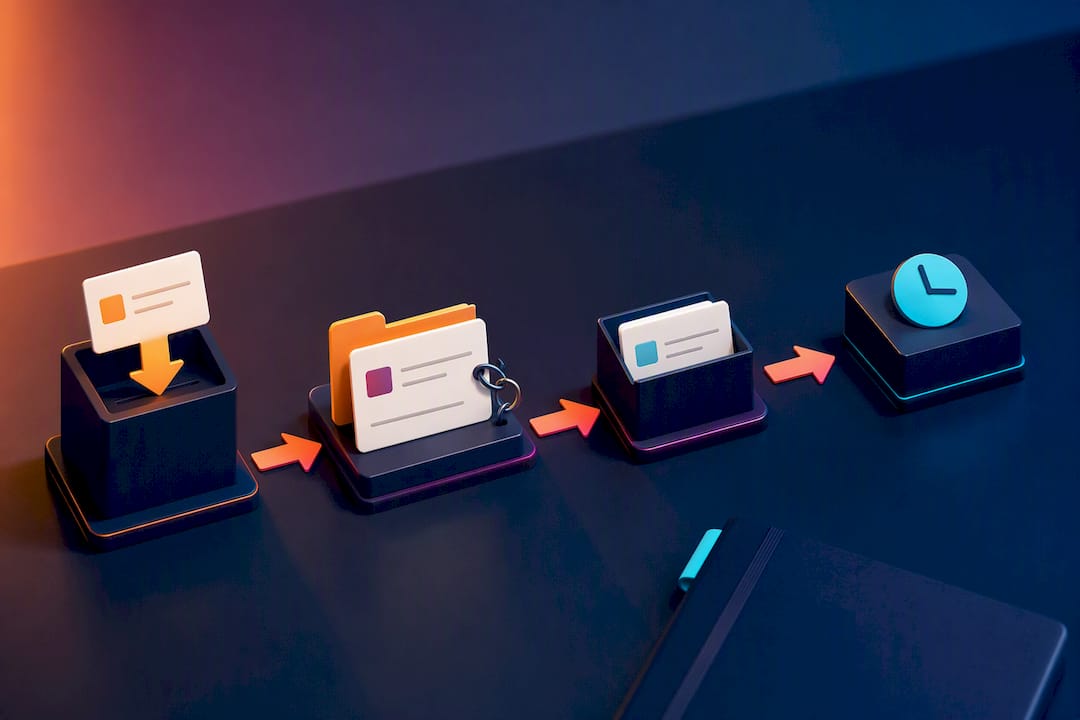
- Build a handoff template and use it religiously. A short structured note at the end of each session, what's done, what's blocked, what the next person needs to know, replaces a dozen "quick questions" that would otherwise wait twelve hours for an answer.
- Log decisions where the task lives. When a call gets made in a meeting or a message, copy the outcome into the task itself. HBR's research on remote collaboration points to exactly this: designing predictable rhythms and documenting decision context cuts the reliance on status meetings that exist purely to catch people up.
- Reserve live meetings for genuine ambiguity. If a question can be answered by one person writing a paragraph, it doesn't need six people on a call. Save synchronous time for decisions with real disagreement or high stakes.
- Time-box every meeting you do hold, and write down the outcome. No meeting without an agenda and a close, an explicit decision, an owner, a deadline, recorded on the relevant task before anyone logs off. Projectmanagement frames this as one of the highest leverage habits a remote manager can build.
- Run a short retrospective every two to four weeks. Ask what caused delays, where handoffs broke down, and adjust the cadence. Distributed teams that treat their own process as a work item worth iterating on outperform ones that just repeat the same rituals indefinitely.
Pro Tip: Write the handoff template once, put it in the task description field as a fill-in-the-blank, and make it mandatory before a task can be marked as passed to someone else. The five minutes it takes to fill in saves the next person from guessing.
The pattern underneath all seven steps is the same: replace "ask someone and wait" with "write it down where the next person will look." That's the entire logic of async-first work, and it's worth treating as a discipline rather than a fallback for when a meeting isn't possible.
What should you look for in remote project management software?
A project board built for colocated teams and one built for distributed teams look similar on the surface, but the details that matter are different. The core task manager needs to support clear task ownership, due dates that display correctly across time zones, and a visible audit trail of who changed what and when, because that visibility is what actually resolves the trust gap HBR identified in remote managers. Ownership and visible history do more for trust than any amount of check-in messaging.
Beyond the core board, four supporting categories matter for a fully async workflow:
- Async documentation that lives next to the task, not in a separate wiki nobody opens.
- A communication hub with built-in messaging tied to the task, so context doesn't get lost in a general chat channel.
- Timezone-aware scheduling that shows deadlines in each person's local time rather than one head-office standard.
- Dashboards that surface overdue items and blocked work automatically, instead of requiring someone to ask.
Beyond features, check the practical details: does the tool support guest access for clients or contractors without giving them the whole workspace, does it let you import existing task lists from a spreadsheet without a manual re-entry slog, and can you export your data cleanly if you ever switch platforms. That last point matters more than most teams realise until they're stuck. A tool with no export path is a tool you're locked into, regardless of how good it looks on day one. Seven's guide to distributed team management covers this selection process in more depth, and our shortlist of planning tools for 2026 breaks down feature categories without pushing any single vendor.
What metrics actually show whether a remote project is on track?
Track a short list, not a dashboard full of vanity numbers nobody checks. Five signals cover most of what matters: milestone progress against the original timeline, cycle time (how long a task actually takes from start to finish), the count of blocked items at any given moment, the overdue rate across the board, and a basic read on team health, workload balance, response times, whether people are taking their actual time off.
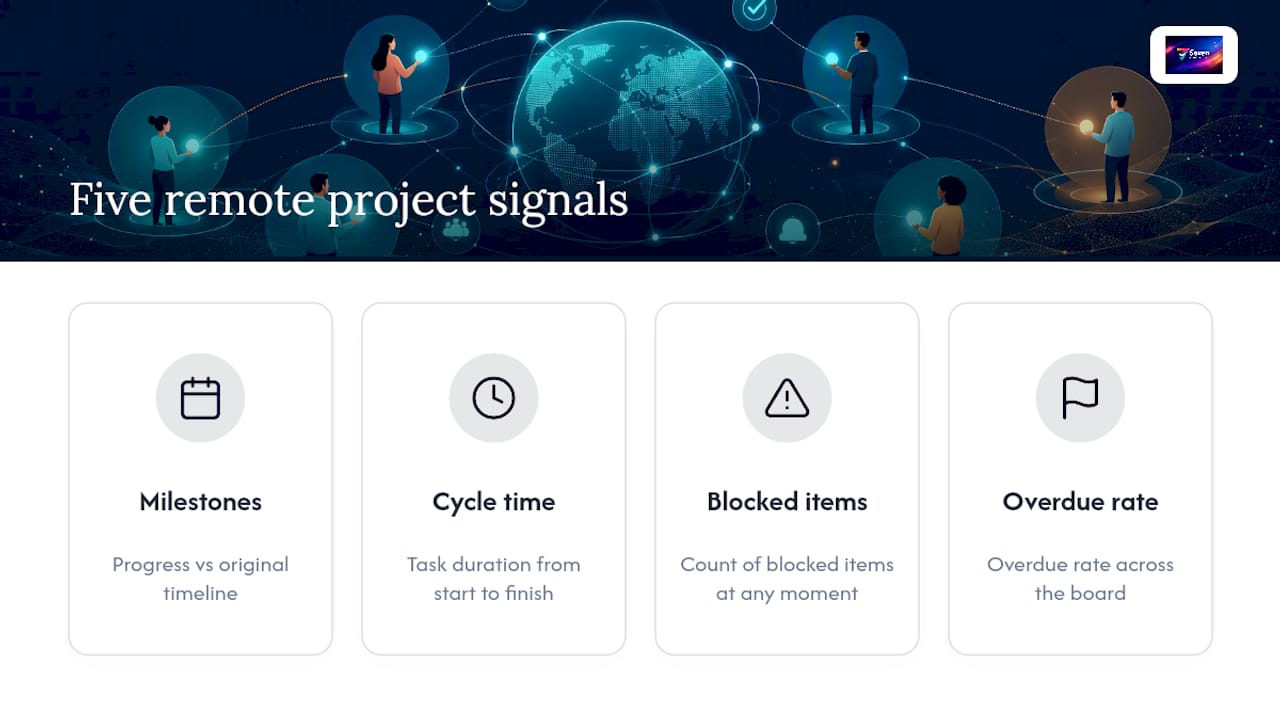
The trick is surfacing these automatically rather than asking for status updates. A dashboard that flags overdue and blocked items on its own removes the need for a manager to chase people for a number they could just look up themselves. Seven's approach to status tracking is built around exactly this: one privacy-first view instead of a weekly status meeting.
Use these numbers to coach and forecast, never to punish. A rising cycle time usually points to a process problem, unclear requirements, too many handoffs, not a person working slower. Treat the metric as a diagnostic, and the conversation it opens stays useful instead of defensive.
How do you handle time zones without midnight deadlines?
Midnight deadlines are almost always a scheduling bug, not a workload problem, and they're one of the easiest failures to eliminate once you build the right habits.
- Show every deadline in the assignee's local time. "Due Friday" printed in UTC and read by someone eight hours ahead is a trap. TimeTamer's research on UTC confusion found this exact mismatch is one of the most common causes of accidental missed deadlines on distributed teams.
- Define explicit overlap windows. Even a two-hour daily window where two regions are both online gives you a reliable slot for anything that genuinely needs real-time back-and-forth.
- Use a handoff checkpoint, not a standup, for most updates. Replace some recurring meetings with a structured async post at the end of each region's working day: done, blocked, next.
- Visualise working hours before you schedule anything company-wide. TimeTamer's guidance on planning remote meetings and Neroles's research on async project management both point to the same fix: map who's actually online before you set a recurring meeting time, rather than defaulting to whichever zone the loudest voice sits in.
Our own guide to asynchronous collaboration walks through building a handoff template from scratch if you want a starting point rather than building one from nothing.
Why does this playbook hold up, and who's behind it?
None of this is a theory built in isolation. HBR's research on remote managers found that trust breaks down when work isn't visible, and MIT Sloan's research on remote behaviour tied wellbeing directly to how work is designed, not just how much of it there is. Both point the same direction: visibility and deliberate structure beat surveillance and good intentions.
Seven was built around that same logic. Its board acts as the single source of truth the playbook calls for, built-in messaging keeps context attached to the task instead of scattered across a separate chat app, and flexible workspaces let teams structure ownership the way this guide recommends without fighting the tool's defaults. Spreadsheet import means a team migrating from an ad hoc tracker doesn't lose months of history in the switch, and open data export means the workspace never becomes a trap.
When should work be async, and when does it need to be live?
Not every decision needs a document, and not every question needs a meeting. Ask three things before you schedule anything: how complex is the decision, how much genuine ambiguity or disagreement exists, and how many people actually need to weigh in?
If the answer to all three is low, one clear owner, low stakes, few stakeholders, write it down and move on asynchronously. If ambiguity or stakeholder count is high, get people live, even briefly, because that's where real-time back-and-forth earns its cost. A rough rule that holds up in practice: use synchronous time for decisions and relationship-building, and async for execution and status. Most teams have that ratio backwards.
— Greg
Try Seven for privacy-first remote project management
Seven is a genuine option for exactly the async-first setup this guide describes: one flexible workspace that holds boards, tasks, messaging, and file attachments together, instead of scattering context across five separate apps.

Where Seven earns its keep is privacy. It's built by an independent team, doesn't mine your data, and doesn't sell analytics off the back of your project details, which matters if you're coordinating client work or anything sensitive across regions with different data expectations. You can see the specifics on Seven's security and compliance page. Pricing is transparent too: $5 AUD a month for individuals, $9 AUD per user per month for teams, both listed on the Seven pricing page, with no hidden add-ons once you're past the trial. If you're currently running project tracking across a chat app, a spreadsheet, and a separate file store, importing your existing task list from a spreadsheet takes minutes, not a weekend. Start the free trial and see whether one workspace actually replaces the three tools you're juggling now.
Further reading and primary sources
- Remote managers are having trust issues — Harvard Business Review
- How to collaborate effectively if your team is remote — Harvard Business Review
- How shifts in remote behavior affect employee well-being — MIT Sloan Management Review
- Projectmanagement
- How to manage distributed teams across time zones — Seven
Sources
- Remote managers are having trust issues — Harvard Business Review
- How to collaborate effectively if your team is remote — Harvard Business Review
- How shifts in remote behavior affect employee well-being — MIT Sloan Management Review
- Projectmanagement
FAQ
Can you actually do project management remotely?
Yes, and it's now standard practice across software, marketing, and client services work. It requires more deliberate documentation and ownership structure than colocated work, but HBR's research on remote collaboration shows teams that build explicit async processes manage it well.
What tips help you manage remote teams effectively?
The core habits are: one source of truth for tasks, one named owner per task, deadlines shown in local time, structured handoff notes instead of ad hoc pings, time-boxed meetings with recorded outcomes, and regular retrospectives to adjust the process. Projectmanagement covers several of these in more tactical detail, and building visibility into the workflow also addresses the trust gap HBR found common among remote managers.
What are the "5 Cs" of project management?
Definitions of this vary across sources and there's no single agreed standard, so it's worth checking whichever framework your organisation actually references rather than assuming one universal list.
What are the best project management tools for remote teams?
The right tool depends on your team's size and priorities, but look for a single task board, built-in messaging, timezone-aware due dates, and clean data export so you're never locked in. Seven is built specifically around those criteria, with flexible workspaces and privacy-first handling of your project data, alongside spreadsheet import for teams migrating from another system.
How do you stop time zones from causing missed deadlines?
Show every deadline in the assignee's own local time rather than a single company standard, and define a daily overlap window for anything that needs real-time discussion. TimeTamer's research on UTC confusion found this single fix eliminates most accidental midnight deadline problems on distributed teams.