

Budget $7–$25 per user per month for mainstream project management software in 2026, with the real bill landing 30%–100% above the sticker price once you factor in seat minimums, AI add-ons, guest policies, and billing cadence.
- Low band: $7–$12/user/month (entry paid tiers, annual billing)
- Mid band: $12–$25/user/month (standard feature sets, annual billing)
- High band: $25–$35+/user/month (enterprise, custom quotes)
- Annual vs. monthly gap: paying month-to-month typically costs 18%–45% more than the advertised annual rate
- 12-month line item formula: (annual per-user rate × paid seats × 12) + estimated add-ons
Key Takeaways
Project management software in 2026 costs $7–$25/user/month at public tiers, but the real annual bill is almost always higher once AI add-ons, guest seats, and billing cadence are factored in.
| Point | Details |
|---|---|
| Budget for real cost, not sticker price | Add 25%–100% to the advertised rate to account for add-ons, guests, and seat minimums. |
| Annual billing saves 18%–45% | Always price on the annual rate; monthly billing is the single most avoidable cost increase. |
| Include AI add-ons from day one | AI features now run $5–$15/user/month extra; pricing them in later creates mid-year budget surprises. |
| Model guest seats pessimistically | External collaborators frequently exceed initial estimates and convert to paid seats. |
| Seventasks offers transparent pricing | A$5 for individuals and A$9/user for teams, with open export and no hidden fees. |
Table of Contents
- What's actually driving project management pricing changes in 2026
- How each pricing model affects your total cost
- Worked budgeting examples for three team sizes
- The hidden fees that push your real bill above the sticker price
- How to pick the right plan and negotiate a better deal
- Migration costs and vendor lock-in deserve a budget line
- How we derived the pricing ranges and worked examples
- The budgeting mistake most teams make
- Seventasks fits a predictable, privacy-first 2026 budget
- Sources
What's actually driving project management pricing changes in 2026
Three forces are reshaping what you pay, and none of them show up clearly on a vendor's pricing page.
AI features are becoming a separate line item. Most platforms that added AI assistants in 2024–2025 have now broken them out of the base plan. Expect to see AI add-ons priced at $5–$15/user/month on top of the base tier. That alone can push a mid-tier plan from $15 to $25 per seat before you've touched storage or integrations.
Usage-based billing is spreading. Automations, API calls, and storage are increasingly metered rather than bundled. A team running 500 automation executions per month might hit a cap that triggers overage charges, which are notoriously hard to forecast. Budget for this by auditing how many automations your current workflows actually trigger.
Market consolidation is a double-edged trend. Competitive pressure has pushed entry tiers down, which looks good on paper. The catch: features that used to live in mid-tier plans are migrating to paid-only tiers, so the effective cost of a comparable feature set has risen even as the headline price dropped.
Stat to know: The global project management software market is expanding, and vendors are using that growth to justify premium pricing for AI and compliance features while keeping entry prices competitive enough to win trials.
How each pricing model affects your total cost
Common pricing models include pay-per-user, flat-rate/unlimited, tiered feature bands, and usage-based billing. Each one has a different break-even point depending on your headcount and how intensively your team uses the platform.
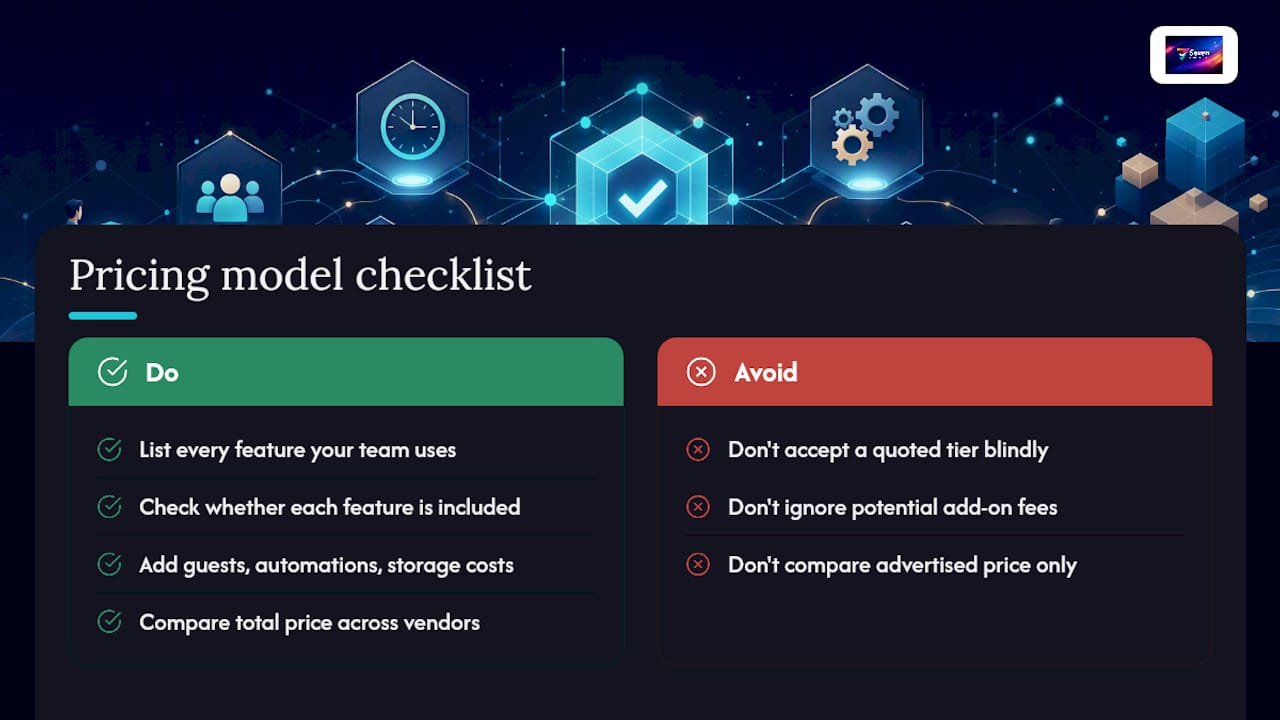
Pro Tip: Before accepting a vendor's quoted tier, list every feature your team uses today and check whether each one is included or an add-on. Guests, automations, and storage are the three most common upsell triggers. Add those line items to the advertised price before comparing vendors.
Worked budgeting examples for three team sizes
Pricing your team for 12 months at the tier you actually need, then adding observable extras, is the most reliable way to build a realistic budget. Here's what that looks like in practice.
Note: Some vendors enforce a 3-seat minimum, so a solo user or 2-person team may still pay for 3 seats.
Calculator logic you can copy:
- Set your headcount (paid seats only, not guests).
- Identify the tier that covers your must-have features.
- Pull the annual per-user rate from the vendor's pricing page.
- Add the AI add-on cost if your team will use it.
- Estimate guest conversions: count external collaborators and check whether the vendor bills them as paid seats.
- Multiply: (base rate + add-ons) × total paid seats × 12.
- Add 10%–20% for storage overages, premium connectors, or support upgrades.
The hidden fees that push your real bill above the sticker price
The sticker-to-real-cost gap of 30%–100% comes from a predictable set of line items. Most of them are disclosed somewhere in the pricing page fine print, but rarely in the headline number.
- AI/assistant add-ons: now a separate SKU on most platforms; $5–$15/user/month
- Guest billing rules: external collaborators often count as paid seats above a free threshold
- Seat minimums or blocks: some vendors require a minimum of 3 paid seats or sell in blocks of 5, forcing small teams to overpay
- Storage and attachment caps: exceeding the base storage limit triggers per-GB charges or a forced tier upgrade
- Automation execution counters: metered automations charge per run above a monthly cap
- Premium connectors: native integrations with tools like Salesforce or Slack may require a higher tier or a paid connector
- Onboarding and pro services: enterprise implementations can include onboarding fees that match the first year's subscription cost
- Priority support: SLA-backed support is often gated behind the highest tier or sold separately
How to pick the right plan and negotiate a better deal
Choosing the wrong tier is expensive in both directions: too low forces a mid-year upgrade at full price; too high means paying for features no one uses.
- List must-haves vs. nice-to-haves. Features like task dependencies, time tracking, and file attachments are must-haves for most teams. Gantt charts, portfolio views, and advanced reporting are often nice-to-haves that push you into a higher tier unnecessarily.
- Commit annually if you're confident in the vendor. The 18%–45% discount for annual prepay is the single largest lever available without negotiating.
- Ask about seat bands. Many vendors offer volume pricing at 10, 25, or 50 seats. If you're at 9 seats, adding one more might drop your per-user rate enough to offset the extra seat cost.
- Request onboarding inclusion. For mid-market deals, vendors often include onboarding at no extra charge rather than lose the deal. Ask before signing.
- Trial before committing. A 7-day or 14-day trial on the exact tier you plan to buy reveals whether the feature set actually fits your workflow.
- Ask sales these questions directly: How are guest seats billed? What happens when we exceed the automation cap? Does the renewal rate escalate? What's included in the base storage?
For teams that need quoting or estimating workflows integrated with project management, check whether those capabilities are native or require a paid connector before committing to a tier.
Migration costs and vendor lock-in deserve a budget line
Switching platforms costs more than the subscription delta.
- Data export: pulling tasks, attachments, and history from the old platform (often manual or semi-automated)
- Data cleanup: deduplication, field normalization, and archiving stale projects before import
- CSV/Excel import: mapping old fields to new ones takes time, especially for custom fields
- Custom workflow rebuild: automations and templates rarely transfer between platforms
- User retraining: even a simple platform switch costs 2–4 hours per user in lost productivity
- Cutover downtime: a weekend migration still creates a gap in visibility for active projects
Vendor lock-in raises long-term total cost of ownership by making switching expensive enough that teams stay on a platform past the point where it serves them well. Open export policies directly reduce that risk. Seventasks publishes an open-export stance, meaning your data stays yours and can be pulled at any time without a support ticket or a paid export service. That's worth factoring into a multi-year cost comparison, not just the per-seat rate.
How we derived the pricing ranges and worked examples
The price bands and worked examples in this article are based on the following:
- Primary sources: vendor public pricing pages checked in 2026, plus category analyses from SoftwareSift, SoftwareCronichle, GetPricePulse, and Celoxis
- Billing assumption: all examples use the annual billing rate, which is the rate most vendors advertise by default
- Add-ons included: one AI add-on at $8/user/month and standard storage within the base cap
- Guest conversion: external collaborators estimated at 50% conversion to paid seats, based on typical team collaboration patterns
- Seat minimums: handled by noting the 3-seat minimum risk in the small-team example
- Enterprise quotes excluded: the $25–$35+/user/month enterprise band reflects quoted equivalents and is treated as custom; public-tier math stops at the mid-tier ceiling
The budgeting mistake most teams make
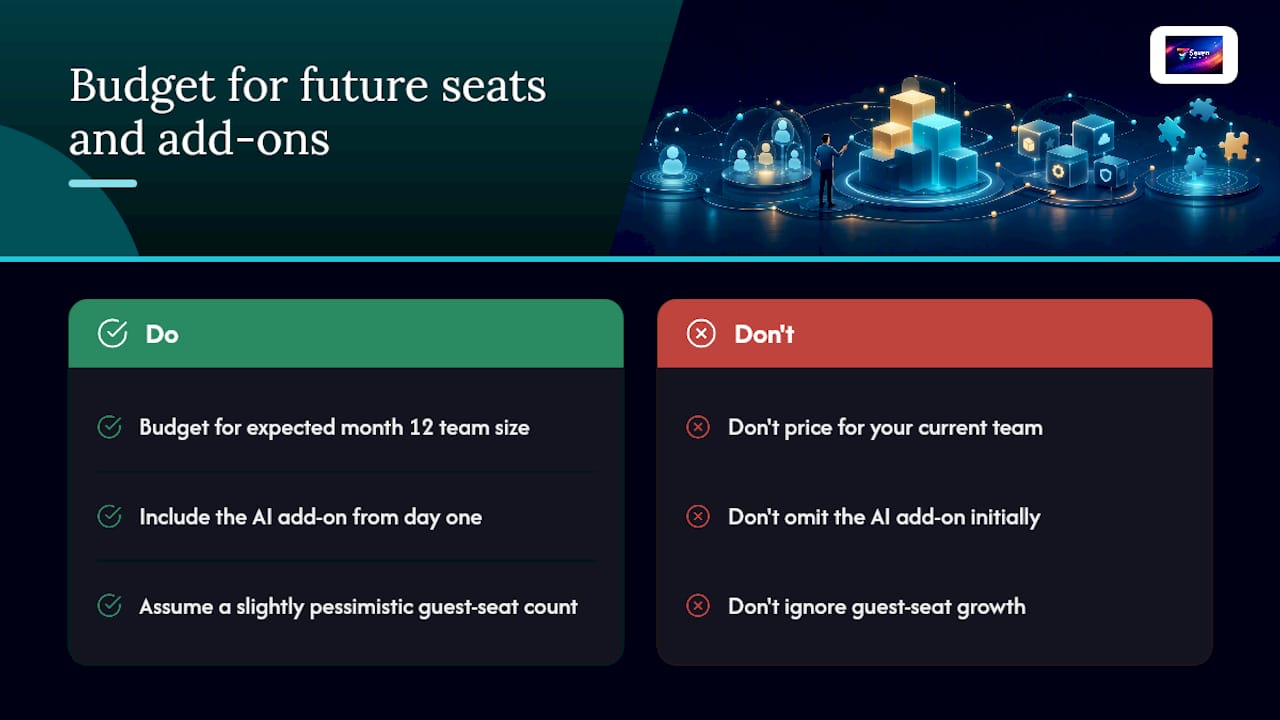
The most common under-budgeting pattern isn't missing a line item. It's pricing for the team you have today instead of the team you'll have in month 10. A 10-person team that grows to 14 mid-year on an annual plan either pays overage rates for the extra seats or waits until renewal, neither of which was in the original budget.
The second pattern: teams price the base plan and forget the AI add-on entirely, then add it three months in when someone on the team demos it.
Third, and most overlooked: guest seat creep. A project that starts with 2 external contractors ends up with 6 by month 4. If each guest converts to a paid seat above the free threshold, that's a real cost that compounds quietly.
The fix for all three is the same: build your 12-month budget on the team size you expect at month 12, include the AI add-on from day one if there's any chance you'll use it, and set a guest-seat assumption that's slightly pessimistic.
Seventasks fits a predictable, privacy-first 2026 budget

If the worked examples above made you realize your current tool's real cost is higher than you thought, Seventasks is worth a direct comparison. Seventasks pricing is public and straightforward: A$5/month for individuals and A$9/user/month for teams, with a 7-day free trial and no hidden costs attached to guests, AI upsells, or data exports.
The platform covers flexible workspaces, boards, task and subtask management, built-in messaging, file attachments, due date tracking, and Excel import. Your data is yours: Seventasks does not mine it, sell analytics on it, or use it for AI training. The security and compliance page details the privacy posture for teams that need to verify it before signing.
For teams that want a predictable per-user line item with no surprise renewals, start the 7-day free trial at Seventasks and price your actual team before committing.
Sources
- Project Management Software Pricing: Full 2026 Breakdown
- Project Management Software Pricing: 2026 Real Cost
- Enterprise Project Management Software Pricing: A 2026 Cost Guide
- Project Management Software Pricing Guide 2026: Asana vs Monday vs ClickUp vs Jira vs Linear
- Project Management Software Pricing and Cost Guide 2026 - Celoxis®